

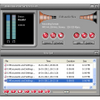
Record audio at no cost and save it for later so that you can edit
Record audio at no cost and save it for later so that you can edit
Vote (383 votes)
Program license Free
Developer Audio-tool
Version 12.9.8
Works under Windows
Vote
(383 votes)
Developer
Audio-tool
Works under
Windows
Program license
Free
Version
12.9.8
Pros
- Freeware
- One-button record
- Windows 10 support
Cons
- None
Audio Recorder for Free is a freeware audio detector and recorder for Windows.
Audio Recorder for Free can detect and capture any sound that your PC has access to. Windows has a simple built-in tool, but this solution is much more powerful and can be used not to just to capture sound from mics but to capture music, podcasts, game audio and more. As its name suggests, the app is completely free to use as often and for as long as you like.
Audio Recorder for Free starts recording with just a single button press. You can play a music video on YouTube or a podcast on an app like Real Player and record it external to those applications. You can also connect cassette and record players to your PC and record those. All of this is achieved through the creation of a virtual sound card that works independent of your actual sound card.
This program also provides a wide range of recording options and encoding options. You can have a lot of control over each recording if you want, but the app also has many presets that make it simple for casual users. Simply select a predefine recording quality, such as Hi-Fi Quality or FM Quality. Choose a 1:1 recording if you prefer, or really dig into all of the available configuration parameters.
Although one-click recording is nice, it isn’t always optimal. Sometimes you won’t be around, or you may have no control over when a live broadcast begins. Audio Recorder for Free also supports automatic recording controls for these scenarios. Simply set a schedule, and the program will turn on and start recording and then stop recording and turn off at times you’ve determined.
Each recording you make is easily accessed through the program in addition to as a file. You’ll be able to view details such as date created, file size, duration, filename and location. If you use Free Audio Editor—which is another great freeware tool from the same developer—you’ll be able to easily export your recordings from here to there. Edit, apply effects, reduce noise and much more.
Audio Recorder for Free supports a wide range of audio codecs. In fact, it can support just about any codec you have installed. Automatic Gain Control is supported in order to optimize recordings when the signal is too weak or overly strong. A Voice Active System is also included so that you can easily detect periods of silence. The UI is a bit on the gaudy side, but it has visualizers and many other tools that let you get the most of all the features Audio Recorder for Free offers.
Pros
- Freeware
- One-button record
- Windows 10 support
Cons
- None
Pros
- Creates digital music files for songs found on compact discs, cassette tapes and other formats
- Works with YouTube and other popular online sites
- Lets you save digital clips from music and videos played online
- Can save files in MP3, WMV or WAV formats
- Allows users to adjust the frequency of clips
Cons
- Takes some trial and error to understand how the software works
- Requires optional equipment and accessories for using with standard music formats
- Limited options regarding changing music files
Audio Recorder for Free is a handy tool that lets you create MP3 files from music and other audio clips that you play on your computer or with your computer.
As technology changes, music formats become obsolete. Very few people even purchase compact discs today because they can go online and download all their favorite songs. If you love older music and more obscure tunes, though, you may find that it's difficult or even impossible to track down those songs. With this tool, you can save copies of songs and other audio clips in seconds. It's a great option for those who want to back up or create new audio files for music they listen to on CD, tape, eight-track tape or even vinyl.
Another great feature of Audio Recorder for Free is that you can use it to capture songs and audio files that you hear online too. The next time that you watch a video on YouTube and wish you had a copy of that song, you can save a copy with this tool. It's also great for saving audio clips from your favorite television shows and films too. Though you can record clips online with just a touch of a few buttons, to use the tool with other media, you'll need equipment to connect your music players to your computer.
When you open Audio Recorder for Free, you can create music files in seconds. Play the song or video that you want to capture, hit the bright red record button on your screen and press the stop button when the clip ends. The tool will then ask you to name the file and to choose the location where it saves that file. In addition to saving files in an MP3 format, you can also save files in WAV and WMA formats.
After saving those files, you can then import each one to your music player, tablet or even cell phone. This tool also lets you adjust the frequency of each file you save to ensure that it is as crystal clear as you would like. While it can take some trial and error before you get the perfect music that you want, Audio Recorder for Free is one of the best free tools for creating digital files from standard music formats and for saving audio clips that you find online.
Pros
- Creates digital music files for songs found on compact discs, cassette tapes and other formats
- Works with YouTube and other popular online sites
- Lets you save digital clips from music and videos played online
- Can save files in MP3, WMV or WAV formats
- Allows users to adjust the frequency of clips
Cons
- Takes some trial and error to understand how the software works
- Requires optional equipment and accessories for using with standard music formats
- Limited options regarding changing music files

